

There is a lot of noise around AI search right now. Shopify merchants hear about ChatGPT, AI crawlers, llms.txt, robots.txt, product feeds, and new “AI SEO” tools all at once.
The important part is simpler. LLMs.txt for Shopify is only one piece of the setup. Shopify already handles several discovery files, and each one has a different job.
What Shopify Already Provides for AI Discovery
Shopify now creates /agents.md, /llms.txt, and /llms-full.txt for stores by default. /agents.md is the main agent-discovery file, while the other two can mirror that content unless they are customized.
Shopify added this native setup in May 2026, so merchants do not need another app just to make these files exist. Shopify Catalog also handles product data for supported agentic shopping experiences.
LLMs.txt, Agents.md, and Robots.txt Do Different Jobs
These files may look similar, but they are not doing the same work. Each one handles a different part of how systems find, read, or crawl a Shopify store.
Here is the easiest way to separate them:
| File | What it does |
|---|---|
| agents.md | Gives agents a store-level discovery document |
| llms.txt | Provides an alternate structured reference for compatible systems |
| robots.txt | Tells crawlers which areas they can request |
A simple way to think about it is this. LLMs.txt gives context. Shopify robots.txt controls crawl access. One does not replace the other.
When Does Custom LLMs.txt Actually Make Sense?
For many stores, Shopify’s default file is enough. Customization becomes more useful when a merchant wants extra control over what gets highlighted, such as important collections, guides, or store information.
- SpeedBoostr LLMs.txt settings
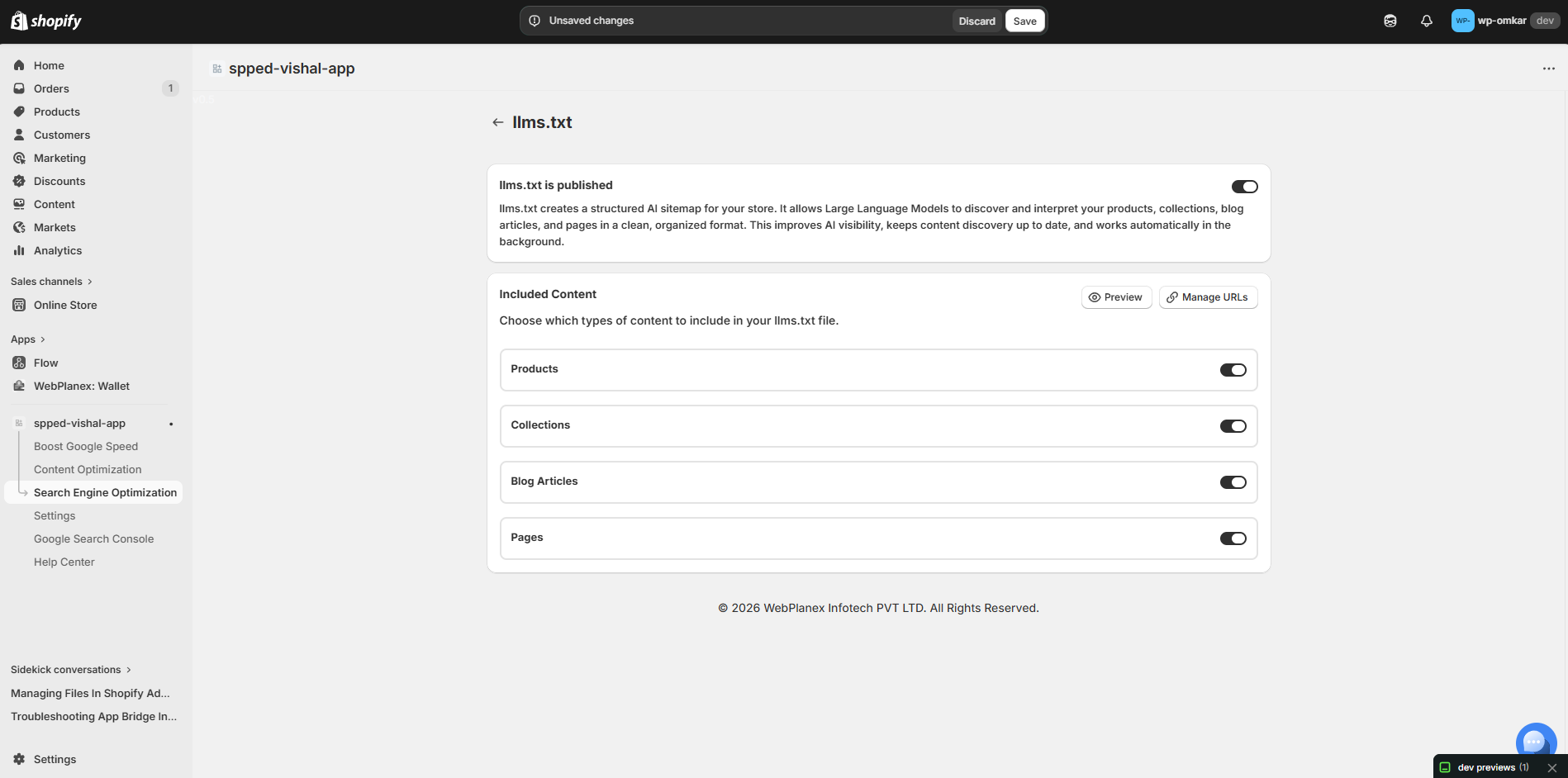
That does not mean a custom file will suddenly get a product mentioned in ChatGPT or Gemini. It also does not guarantee better Google rankings. Use custom settings because they solve a clear content or management need, not because another AI SEO checklist says every store needs them.
- Content mapping in LLMs.txt
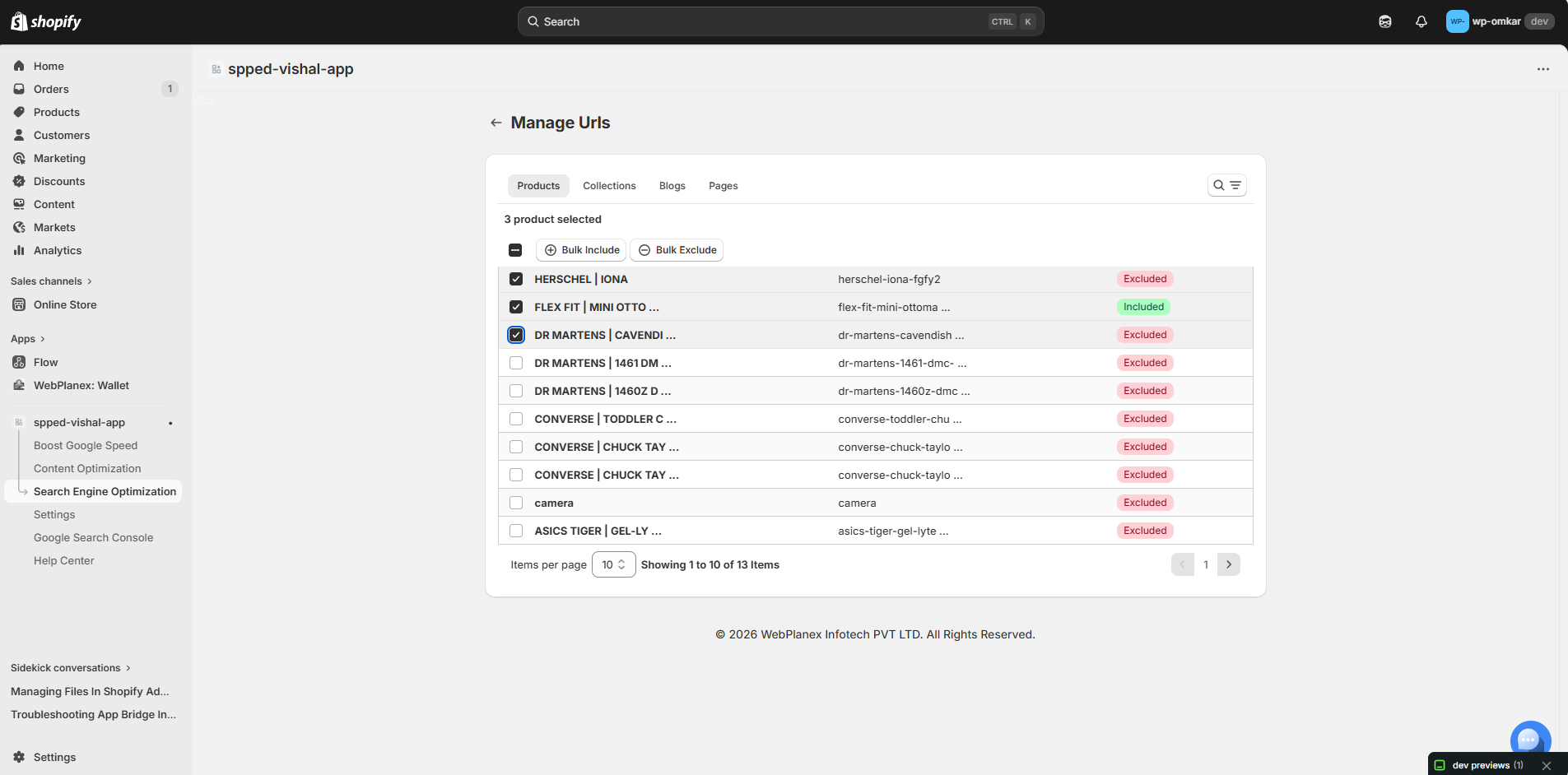
Be Careful When Editing Shopify Robots.txt
Robots rules deserve more care. A custom rule can block a specific crawler or URL path, but the wrong rule can also block something important. Product pages, collections, CSS, or JavaScript should not be restricted without a reason.
In SpeedBoostr, the setup is split into three parts: choose the rule, select the crawler, and add the URL path you want the rule to apply to.
- Choose Allow or Disallow
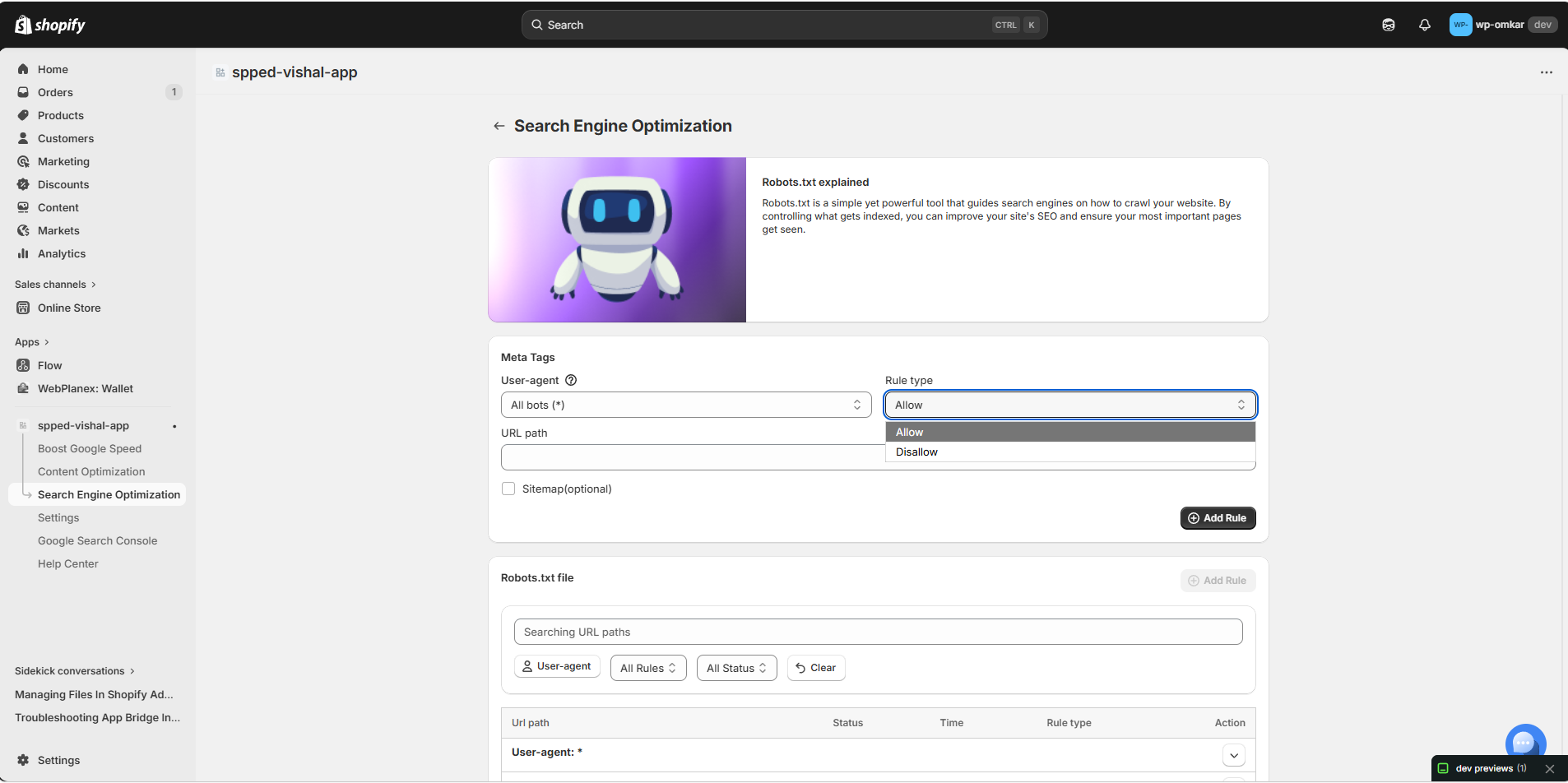
- Select the crawler
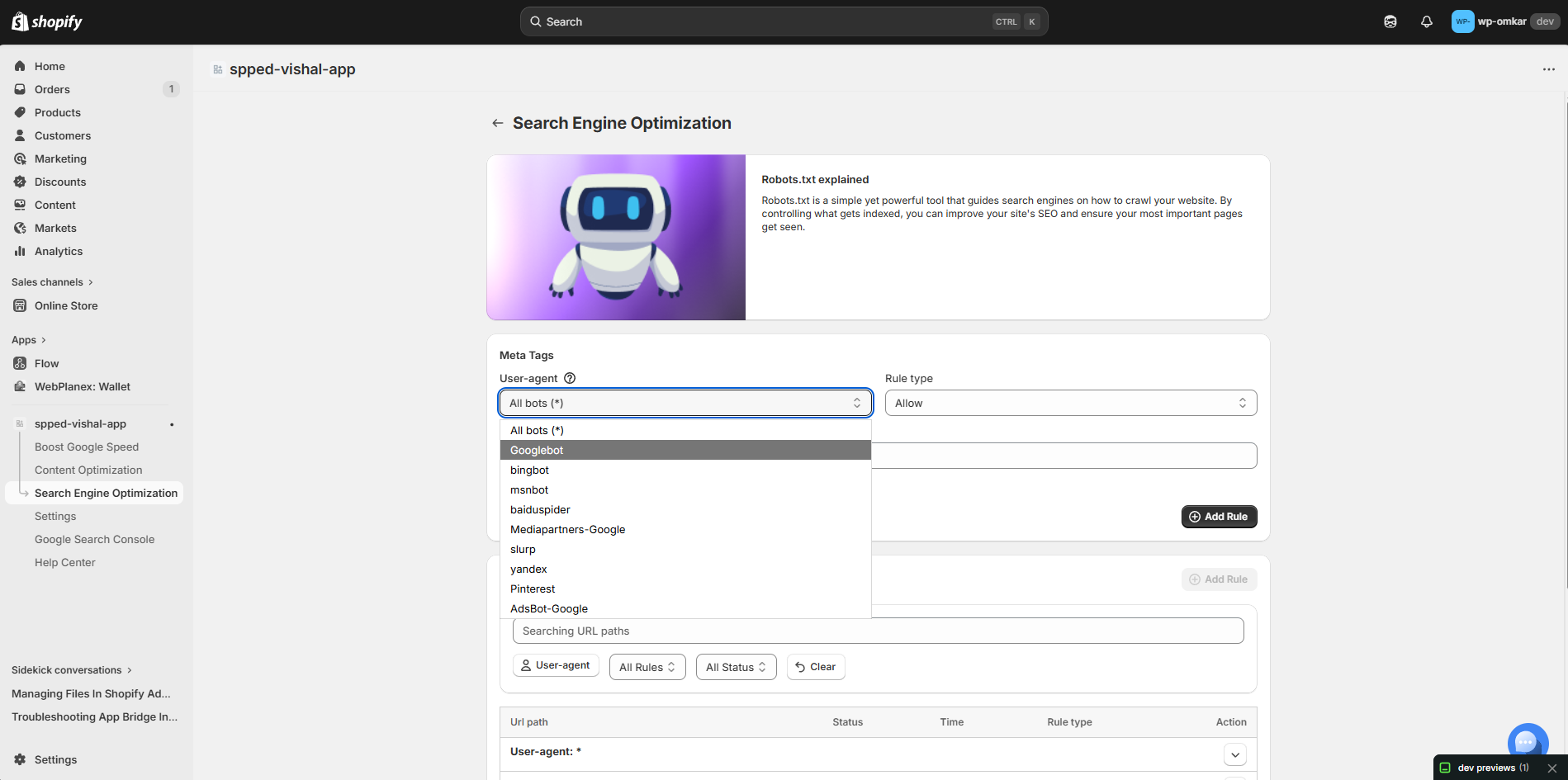
- Add the URL path
For ChatGPT search, OpenAI says publishers should allow OAI-SearchBot if they want their content eligible for summaries and snippets. Also remember that blocking crawling does not automatically remove a URL from Google.
AI Visibility Depends on More Than LLMs.txt
A clean llms.txt file cannot fix weak product information. AI search visibility can depend on several things working together, including product titles, descriptions, price, availability, structured data, crawler access, and Shopify Catalog.
For example, a product with an old price or missing availability data is still giving poor information, even if its agent-discovery file is perfectly formatted.
The same goes for crawler settings. Blocking one AI bot on the open web does not automatically stop Shopify Catalog from distributing product information through supported shopping channels.
Where SpeedBoostr Fits Into This Setup
Shopify already provides the base files. The useful question is whether you need more control around them.
SpeedBoostr includes LLMs.txt management and robots.txt tools alongside its wider SEO features. That gives merchants a simpler place to handle technical settings without treating every new AI discovery feature as a separate task. SpeedBoostr: Google Speed - SEO
The value is control and easier management, not a promise that an AI platform will recommend the store.
Conclusion
Do not add or edit AI discovery files just because they are getting attention. First check what Shopify already provides. Then decide whether custom settings solve a real problem. Used that way, LLMs.txt for Shopify and robots.txt can be useful technical controls, while SpeedBoostr gives merchants one place to manage more of that setup.

